Place named dancers
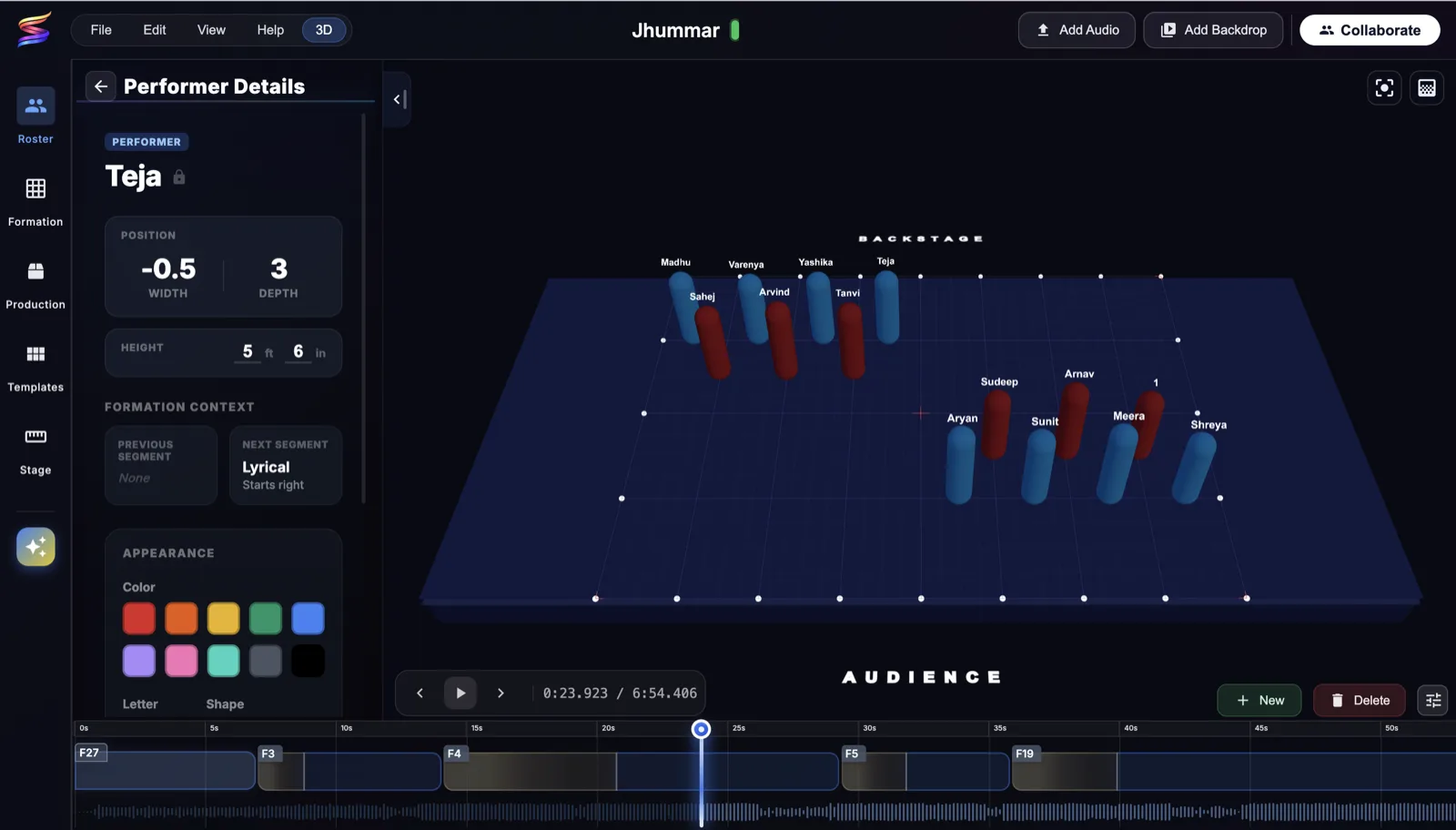
Add your roster once. Every dancer has a name, a color, and a height, so nobody has to guess which dot is them.
Dance formation maker
Build dance formations online. Place named dancers on a stage, set each formation to your music, and send every dancer their spot. Free to start in your browser. Captains can also build on iPad, and dancers check their spots on iPhone.
Quick answer
Sway is a web, iPhone, and iPad dance formation maker. Captains place named dancers on a desktop stage grid, connect formations to counts and transitions, then publish the routine so every dancer can review their spot on mobile before rehearsal.
Add your roster once. Every dancer has a name, a color, and a height, so nobody has to guess which dot is them.
Plan on a top-down grid with width and depth coordinates, then flip to the 3D stage to check sightlines and depth from the audience.
Upload the music and lay formations along the timeline. Play it back to watch dancers travel and catch collisions before rehearsal.
Set the stage width and depth so spacing on screen matches the floor you will actually perform on.
Publish the routine and each dancer opens it in the Sway app to find their spot in every formation.
Captains work in the same team workspace, so there is one current version instead of five screenshots in a group chat.
You need a free account so your roster and formations save to your team. Plus and Pro raise these limits and bill once per team, not per dancer.
Up to 15 team members and 2 captains.
3 segments in 1 project, each with as many formations as the section needs.
Audio files up to 3 minutes, synced to the formation timeline.
Build in a desktop browser or on iPad. Dancers review on iPhone.
Choreographers search for this under a lot of names. They all mean the same work: deciding where each performer stands, and when they move.
Plus and Pro include templates and AI templates for lines, V shapes, circles, and diagonals. Start from one, then adjust the spacing for your roster.
Every dancer gets width and depth coordinates, so a note like "two left of center" becomes an exact spot on the grid.
Blocking is the theater word for the same thing. Place named actors for each scene and share the plan with the cast.
Cheer squads, color guard, and marching bands use the same workflow. The cheer formation maker page covers squad-specific patterns.
Yes. The Free plan lets you build formations for a team of up to 15 members with 2 captains, 3 segments in 1 project, and songs up to 3 minutes. You need a free account so your roster and formations save to your team. Paid plans add more segments and projects, unlimited audio length, and AI templates, and they bill per team, not per dancer.
No. You can build formations in a desktop web browser. Captains can also create and edit on iPad, and dancers use the Sway iPhone app to check their spots.
Yes. Upload the song, then place each formation on the music timeline so it starts and ends at the right moment. Play the routine back to watch dancers travel between formations. Free supports audio files up to 3 minutes; Plus and Pro remove the length limit.
Yes. Switch the stage between a top-down grid and a 3D view to check sightlines, depth, and how the formation reads from the audience. Each dancer can have a height, which helps when you check who is hidden behind whom.
Free covers a team of up to 15 members and Plus up to 30. Pro has no dancer limit, which suits large studios, cheer squads, and marching bands.
There is no Android app yet. Sway has native apps for iPhone and iPad, and anyone can build formations in a desktop web browser.
Yes, as a starting point. Plus and Pro include templates and AI templates for lines, V shapes, circles, diagonals, and more. Pick one, then adjust the spacing for your dancers. The Free plan starts from a blank stage.
A drawing is one picture. In Sway each dancer is a named person who carries through every formation, so the transitions, the music timing, and the view each dancer sees on their phone all come from one plan.
Dance captains, choreographers, studio owners, coaches, and directors. The same workflow fits K-pop cover groups, cheer squads, color guard, marching band drill, and theater blocking.
Yes. After a captain publishes the routine, dancers can open Sway on their phones to review positions, transitions, and notes without waiting for new screenshots.